Email: @bucksbuckham@outlook.com
Back to VTubers



Twitch followers 12
– 0 / 24d
Goal for the stream! 12 / 20
🎨 Color the site with bucks_buckham's palette
Recolors the whole site - background and accents. Pick a different VTuber anytime, or reset.
8%
tap to copy hex
Palette-apply & seasonal theme options are in the Theme menu (top nav).
bucks_buckham
Independent Active
Last active 6 days ago on Twitch
About
bucks_buckham streams in English and mixes music reactions, content reactions, and gameplay. Their profile says the on-stream routine is just what they’ve been doing for years, only now with a camera on.
Anything you see me do on stream I have been doing for years now, All I did was decide to turn on a camera. (MUSIC REACTION, CONTENT REACTION, GAMEPLAY)
Community
Streaming Language English
Recent Activity
Recent Tweets
Loading tweets…
Recent Videos
Loading videos…
Twitch About
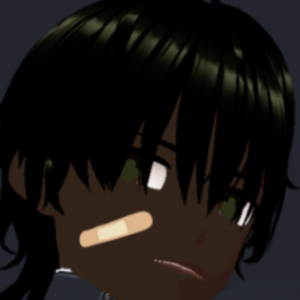
Hey! I go by Bucks Buckham but if you're a resident of Buckingham Palace you can call me "KING;" I'm 28 years of age, 6'2, Dark Male; As you can tell I'm really into Music, Content Creation and Gaming; from the tech to the fundamental side, I don't just plan to bring great gameplay and IQ to the streams, I also plan to have a personality, engaging, entertaining, fun stream where we mostly laugh and hang out! so go above and join us!"OneOfUs!!" and don't forget to come back the next day, the day after that! and the day after that! Byee!{in rae's voice}.
Post and I will review on Stream!
Follow to keep up to date with when I'm going live and to know about all the personal stuff I go through and shouldn't put on the internet but I still do.
Tap to donate to a Mental Health Organization. Mental Health is a disorder that a lot of folks struggle with, from Celebrities - Commoners, Rich - Poor, Male - Female. Don't let it go unacknowledged.
PS - The reason I made my donation tab to a Mental Health Organization is because paypal won't let me connect to my bank, don't tell anyone! A Win is A Win!
PS - The reason I made my donation tab to a Mental Health Organization is because paypal won't let me connect to my bank, don't tell anyone! A Win is A Win!
# PC :
>>MSI - PRO Z690-A DDR4 Socket LGA 1700 USD 3.2 Intel Motherboard.
>>Intel - Core i9-12900k Desktop Processor 16 (8P+8E) Cores up to 5.2 GHZ Unlocked LGA1700 600 Series Chipset 125W.
>>CORSAIR - ICUE H100i ELITE CAPELLIX CPU Cooler.
>>GIGABYTE - NVIDIA GeForce RTX 3060 12GB GDDR6 PCI Express 4.0 Graphics Card.
>>GIGABYTE GeForce RTX 4060 Gaming OC 8G Graphics Card, 3X WINDFORCE Fans, 8GB 128-bit GDDR6, GV-N4060GAMING OC-8GD Video Card.
>>CORSAIR - MP600 PRO XT 1TB Internal Gaming SSD PCLe Gen 4x4 NVMe with Heatsink for Desktops.
>>CORSAIR - VENGEANCE PRO 64GB (4PK x 16GB) 3600MHZ DDR4 C18 DIMM Desktop Memory with RGB lighting.
>>Corsair RM1000x (2021) Fully Modular ATX Power Supply - 80 PLUS Gold - Low-Noise Fan.
# MONITORS:
>Alienware AW2523HF Gaming Monitor - 24.5-inch (1920x1080) 360Hz Display, AMD Free Sync, Height/Tilt/Swivel/Pivot Adjustability, Dark Side of The Moon. Monitor
>Sceptre 30-inch Curved Gaming Monitor 21:9 2560x1080 Ultra Wide/Slim HDMI DispalyPort up to 200Hz Build-in Speakers, Metal Black (C305B-200UN1) Monitor
>Sceptre 22 inch 75Hz 1080P LED Monitor 99% sRGB HDMI X2 VGA Build-in Speakers, Machine Black (E225W-19203R series) Monitor
# KEYBOARD AND MOUSE:
>Logtech G413 TKL SE Mechanical Gaming Keyboard - Compact Backlit Keyboard with Tactile Mechanical Switches, Anti-Ghosting, Compatible with Windows, macOS - Black Aluminum. Keyboard
>Logitech G305 LIGHTSPEED Wireless Gaming Mouse, Hore 12k senor, 12,000 DPI, Lightweight, 6 Programmable Buttons, 250h Battery Life, On-Board Memory, PC/Mac - Black. Mouse
# MOUSE PAD:
>Logitech G240 Cloth Gaming Mouse Pad, Optimized for Gaming Sensors, Moderate Surface Friction, Non-Slip Mouse Mat, Mac and PC Gaming Accessories, 340 x 280 x1 mm. MousePad
# WEBCAM:
>NexiGo N60 1080P Webcam with Microphone, Adjustable Fov, Zoom, Software Control & Privacy Cover, USB HD Computer Web Camera, Plug and Play, for Zoom/Skype/Teams, Conferencing and Video Calling. Webcam
>NexiGo N660P 1080P 60FPS Webcam with Software Control, Dual Microphone & Cover, Autofocus, HD USB Computer Web Camera. webcam
# HEADSET:
>Linsoul KZ ZS10 Pro, 4BA+1DD 5 Driver in-Ear HiFi Metal Earphones with Stainless Steel Faceplate, 2 Pin Detachable Cable (Without Mic, Dark Black). Headset
>>MSI - PRO Z690-A DDR4 Socket LGA 1700 USD 3.2 Intel Motherboard.
>>Intel - Core i9-12900k Desktop Processor 16 (8P+8E) Cores up to 5.2 GHZ Unlocked LGA1700 600 Series Chipset 125W.
>>CORSAIR - ICUE H100i ELITE CAPELLIX CPU Cooler.
>>GIGABYTE - NVIDIA GeForce RTX 3060 12GB GDDR6 PCI Express 4.0 Graphics Card.
>>GIGABYTE GeForce RTX 4060 Gaming OC 8G Graphics Card, 3X WINDFORCE Fans, 8GB 128-bit GDDR6, GV-N4060GAMING OC-8GD Video Card.
>>CORSAIR - MP600 PRO XT 1TB Internal Gaming SSD PCLe Gen 4x4 NVMe with Heatsink for Desktops.
>>CORSAIR - VENGEANCE PRO 64GB (4PK x 16GB) 3600MHZ DDR4 C18 DIMM Desktop Memory with RGB lighting.
>>Corsair RM1000x (2021) Fully Modular ATX Power Supply - 80 PLUS Gold - Low-Noise Fan.
# MONITORS:
>Alienware AW2523HF Gaming Monitor - 24.5-inch (1920x1080) 360Hz Display, AMD Free Sync, Height/Tilt/Swivel/Pivot Adjustability, Dark Side of The Moon. Monitor
>Sceptre 30-inch Curved Gaming Monitor 21:9 2560x1080 Ultra Wide/Slim HDMI DispalyPort up to 200Hz Build-in Speakers, Metal Black (C305B-200UN1) Monitor
>Sceptre 22 inch 75Hz 1080P LED Monitor 99% sRGB HDMI X2 VGA Build-in Speakers, Machine Black (E225W-19203R series) Monitor
# KEYBOARD AND MOUSE:
>Logtech G413 TKL SE Mechanical Gaming Keyboard - Compact Backlit Keyboard with Tactile Mechanical Switches, Anti-Ghosting, Compatible with Windows, macOS - Black Aluminum. Keyboard
>Logitech G305 LIGHTSPEED Wireless Gaming Mouse, Hore 12k senor, 12,000 DPI, Lightweight, 6 Programmable Buttons, 250h Battery Life, On-Board Memory, PC/Mac - Black. Mouse
# MOUSE PAD:
>Logitech G240 Cloth Gaming Mouse Pad, Optimized for Gaming Sensors, Moderate Surface Friction, Non-Slip Mouse Mat, Mac and PC Gaming Accessories, 340 x 280 x1 mm. MousePad
# WEBCAM:
>NexiGo N60 1080P Webcam with Microphone, Adjustable Fov, Zoom, Software Control & Privacy Cover, USB HD Computer Web Camera, Plug and Play, for Zoom/Skype/Teams, Conferencing and Video Calling. Webcam
>NexiGo N660P 1080P 60FPS Webcam with Software Control, Dual Microphone & Cover, Autofocus, HD USB Computer Web Camera. webcam
# HEADSET:
>Linsoul KZ ZS10 Pro, 4BA+1DD 5 Driver in-Ear HiFi Metal Earphones with Stainless Steel Faceplate, 2 Pin Detachable Cable (Without Mic, Dark Black). Headset
>Be yourself, and if I don't like who you are you will be banned! Appeal
>Make sure notifications are on when you follow or subscribe!
>>Use emotes to express yourself as often as possible! especially when I'm in game and have to focus. Emotes
>Whenever you are viewing don't be afraid to say hey! or text in chat, all I'm going to do is say hey back!
>Don't donate or subscribe when gameplay is on (facecam with desktop screen), do it when just chatting screen is on ( just facecam) so i can acknowledge you. If I'm focus on the game I probably won't! tip
>>Betterttv, 7tv and frankerfacez emotes are available in chat! To see emotes and not just words when emotes are being used install the extenisions for betterttv, 7tv and frankerfacez, at some point in the chat there should be a link or type !bttv, !7tv, !ffz or !howtogetemotes. BTTV FFZ 7TV
>To get the best experience with the extensions go to the chat settings on the bottom right corner of the chat then scroll down to betterttv settings at the bottom then click then scroll down to emote menu then enable then disable replace twitch's native emote menu after that you can change any other settings to your preference. BTTV
>And to get access to all the emotes in one place; in the same betterttv settings below the emote menu you should see emotes, enable 7tv and frankerfacez! BTTV
>And in 7tv and frankerfacez settings find "replace the emote menu icon with the 7tv or ffz icon" and disable it, you can find it by clicking the emote icon in the chat then clicking the sittings icon on the bottom right then scrolling down to the chat category then emote menu. FFZ 7TV
>>And if you're a mobile viewer and want the best twitch experience with using and seeing emotes in the chat download frosty for twitch in the app store! Avaliable for ios and android. moblieemotes
>Streamelements chat commands in chat, just type !commands to find out the ones available, and remember to always use ! before typing command. Chat commands are commands in chat that gives the viewers links, answers to questions, ability to play games with other viewers, announcements and more. Some commands are only avaliable to regular viewers! Commands
>When using the commands to find out information about in game settings, sensitivity, etc... You need to be specific with which game's you want the information for: !apexsens, !valsens, !etc... I play a lot of fps games!
>You can request songs in the chat to play on stream by typing !song url or !song tilte, Only request uncopyrighted songs.
>There is an artificial intelligence in the chat @ !ai that will give you information on anything that can be browsed! Edge
# Schedule: Monday - Sunday -Anytime between 10:00 am - 10:00 pm.
# New video up on youtube too channel everyday at anytime am - pm. BucksBuckhamToo
>>Time zone: Eastern Standard Time (EST) or Eastern Daylight Time (EDT)
>I have dealt with Mental Health problems to where I was on medications for a while but now I'm off them and My Mental Health is at it's best it's ever been after doing everything I can to help myself like reading, journaling, exercising; and if you are dealing with the same problem you can do the same too but most of all make sure you seek help from a specialist "Doctor" no matter how slight it is, you don't know how bad it can get in the near future! MentalHealth
>>Join Discord to really be a part of The Family/Community! BuckinghamPalace
>Make sure notifications are on when you follow or subscribe!
>>Use emotes to express yourself as often as possible! especially when I'm in game and have to focus. Emotes
>Whenever you are viewing don't be afraid to say hey! or text in chat, all I'm going to do is say hey back!
>Don't donate or subscribe when gameplay is on (facecam with desktop screen), do it when just chatting screen is on ( just facecam) so i can acknowledge you. If I'm focus on the game I probably won't! tip
>>Betterttv, 7tv and frankerfacez emotes are available in chat! To see emotes and not just words when emotes are being used install the extenisions for betterttv, 7tv and frankerfacez, at some point in the chat there should be a link or type !bttv, !7tv, !ffz or !howtogetemotes. BTTV FFZ 7TV
>To get the best experience with the extensions go to the chat settings on the bottom right corner of the chat then scroll down to betterttv settings at the bottom then click then scroll down to emote menu then enable then disable replace twitch's native emote menu after that you can change any other settings to your preference. BTTV
>And to get access to all the emotes in one place; in the same betterttv settings below the emote menu you should see emotes, enable 7tv and frankerfacez! BTTV
>And in 7tv and frankerfacez settings find "replace the emote menu icon with the 7tv or ffz icon" and disable it, you can find it by clicking the emote icon in the chat then clicking the sittings icon on the bottom right then scrolling down to the chat category then emote menu. FFZ 7TV
>>And if you're a mobile viewer and want the best twitch experience with using and seeing emotes in the chat download frosty for twitch in the app store! Avaliable for ios and android. moblieemotes
>Streamelements chat commands in chat, just type !commands to find out the ones available, and remember to always use ! before typing command. Chat commands are commands in chat that gives the viewers links, answers to questions, ability to play games with other viewers, announcements and more. Some commands are only avaliable to regular viewers! Commands
>When using the commands to find out information about in game settings, sensitivity, etc... You need to be specific with which game's you want the information for: !apexsens, !valsens, !etc... I play a lot of fps games!
>You can request songs in the chat to play on stream by typing !song url or !song tilte, Only request uncopyrighted songs.
>There is an artificial intelligence in the chat @ !ai that will give you information on anything that can be browsed! Edge
# Schedule: Monday - Sunday -Anytime between 10:00 am - 10:00 pm.
# New video up on youtube too channel everyday at anytime am - pm. BucksBuckhamToo
>>Time zone: Eastern Standard Time (EST) or Eastern Daylight Time (EDT)
>I have dealt with Mental Health problems to where I was on medications for a while but now I'm off them and My Mental Health is at it's best it's ever been after doing everything I can to help myself like reading, journaling, exercising; and if you are dealing with the same problem you can do the same too but most of all make sure you seek help from a specialist "Doctor" no matter how slight it is, you don't know how bad it can get in the near future! MentalHealth
>>Join Discord to really be a part of The Family/Community! BuckinghamPalace
Buckingham Palace ahead, A p(a)lace to feel safe and secure in this accursed world! (MUSIC, GAMING, CONTENT, ANIME, ETC)
Videos and Clips from Streams that i find entertaining and other forms of entertaining videos that i come up with!
Stay up to date with my daily activities and when I go live, also pictures and reels that I find approving for the internet.
When I'm not Streaming you can stay up to date with my day to day activities here!
I know most of us don't use this but it's here if you would like to like!
Majority of the songs I play on stream you can find here!
You will be entertained; Subscriptions will be appreciated!
If you're a music lover like me Subscriptions will be appreciated!
>>No discrimination (sexism, racism, homophobia, etc.).
>>English (or the primary language used in chat).
>>No cussing or slurs (even though some words will be filtered out with chatbot).
>>No game spoilers.
>>Backseat gaming is prohibited (people telling the streamer what to do).
>>No self-promotion.
>>Support each other and treat others with kindness.
>>Don’t type in all caps.
>>No arguments or drama in chat or Discord.
>>Avoid religious or political discussion.
>>No spamming (repeating the same message over and over).
>>Don’t post links in the chat.
>>No Rickrolling the streamer.
>>English (or the primary language used in chat).
>>No cussing or slurs (even though some words will be filtered out with chatbot).
>>No game spoilers.
>>Backseat gaming is prohibited (people telling the streamer what to do).
>>No self-promotion.
>>Support each other and treat others with kindness.
>>Don’t type in all caps.
>>No arguments or drama in chat or Discord.
>>Avoid religious or political discussion.
>>No spamming (repeating the same message over and over).
>>Don’t post links in the chat.
>>No Rickrolling the streamer.